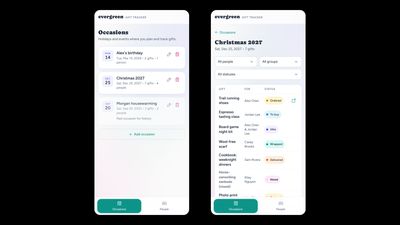
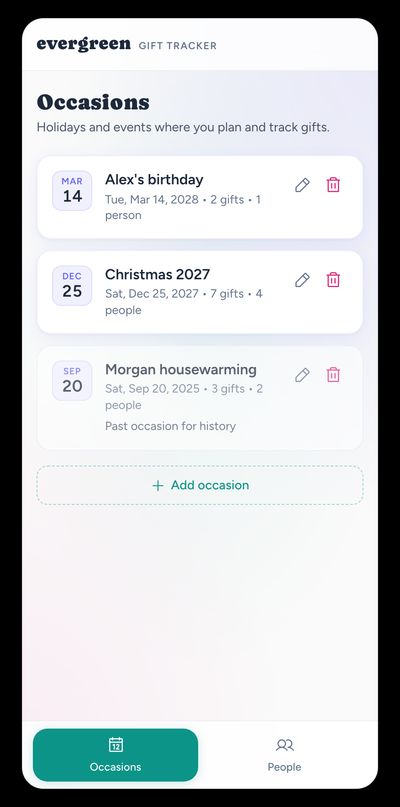
Evergreen’s occasion list and gift detail views, designed mobile-first for the moments when you’re actually shopping or wrapping.
Evergreen’s occasion list, designed mobile-first for the moments when you’re actually shopping or wrapping.
Overview
I’m a product designer with a habit of solving my own problems with software. Evergreen Gift Tracker started as a Christmas problem: for years my husband and I had maintained a gift spreadsheet with tabs per year and columns for person, item, status, link, and notes. The system worked. The interface didn’t, especially on mobile, where filtering was clunky and updating a status meant fighting a grid.
I designed and built Evergreen as a personal side project, with my husband as collaborator and co-user. The goal wasn’t to invent a new category of gift app. It was to give an already-proven workflow a better home.
Challenges
The spreadsheet was doing real work. Replacing it meant matching what already worked while fixing what didn’t:
- Mobile friction: Most gift decisions happen in the world (in a store, on a couch, mid-wrapping), not at a laptop with a spreadsheet open.
- Christmas-only thinking: The original habit was seasonal, but birthdays and other occasions followed the same pattern.
- Repeat gifts: Without an easy cross-year view of what someone had already received, avoiding duplicates was tedious.
- Scope creep risk: Gift apps love features (budgets, wishlists, recipient portals). We needed something we’d actually finish and use.
Goals
- Replace the spreadsheet with a mobile-first interface for the same core workflow
- Support any gift-giving occasion, not just Christmas
- Make person history visible across occasions so repeats are easy to avoid
- Keep two household accounts in sync with fully shared data
- Ship something real, not a forever-prototype
Design Decisions
Expand to occasions, keep the core tight
Recognizing the broader use case, I expanded from Christmas-only to occasion-based tracking: birthdays, holidays, anything that needs a gift list. Just as important was what we left out: no budgets, no wishlists, no recipient-facing features. Those can wait. The product had to earn a place in our December (and June) habits first.
A data model built for history
People, occasions, and gifts are the three building blocks. Gifts belong to an occasion and a person, or shared across multiple people. That flexibility is also what makes person history work: open someone and see everything ever gifted to them, across every occasion.
Not every occasion involves everyone.
Groups let you organize people by family or relationship, and occasions can scope to just the ones that matter. So Father's Day doesn't surface your niece.
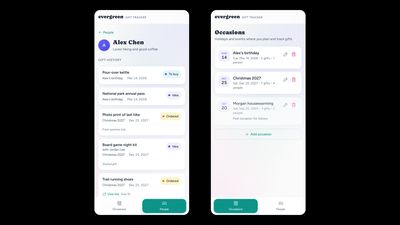
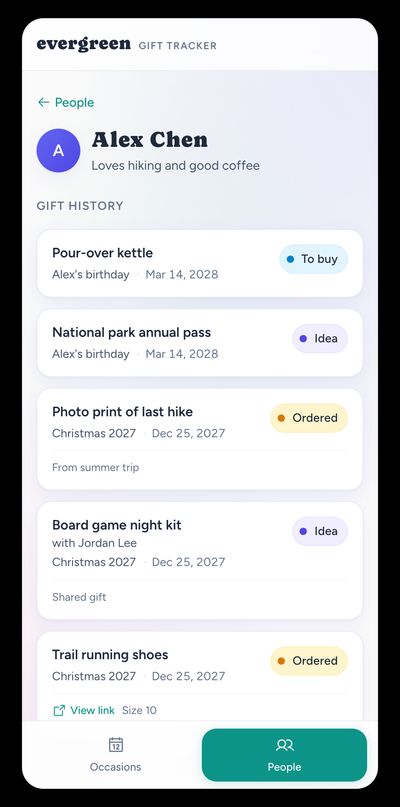
Person history pulls gifts across occasions into one view, the anti-repeat feature the spreadsheet never made easy.
Person history shows everything gifted to someone across occasions, the anti-repeat feature the spreadsheet never made easy.
Statuses that match the real workflow
Six statuses map to how we actually move gifts along: Idea, To buy, Ordered, Delivered, Wrapped, and Nixed. Status updates happen inline from the gift list, with no need to open an edit form just to move something from “ordered” to “delivered.”
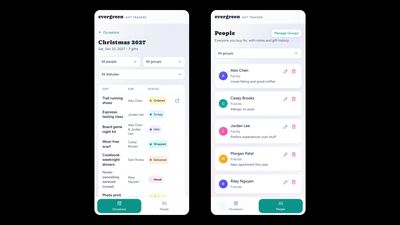
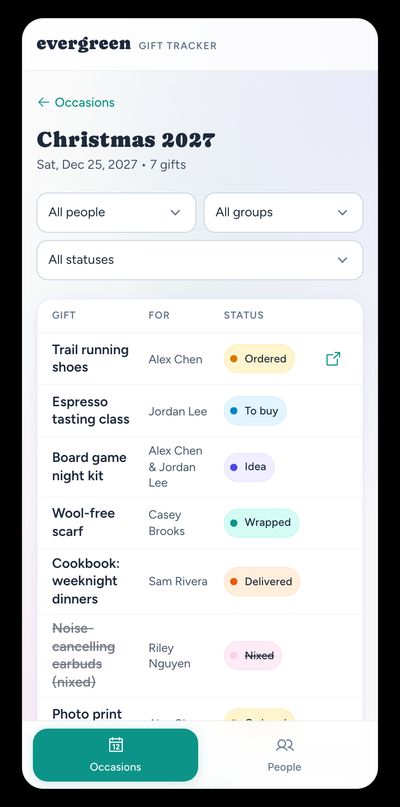
Inline status updates and filters by person, group, or status keep an occasion list usable when it grows.
Inline status updates keep an occasion gift list usable as it grows.
Household sharing by design
Two logins, one shared dataset. Gift planning in a household is collaborative, and the security model reflects that: authenticated users see the same people, occasions, and gifts. Separate accounts still matter for signing in from different phones without sharing a password.
Mobile-native interaction patterns
Bottom navigation, swipe-to-dismiss drawers, and sheet-style pickers on small screens keep the UI feeling like a phone app rather than a shrunk website. The visual direction is intentionally warm (Caprasimo for the wordmark, Figtree for UI type, and a joyful teal/indigo palette) because gift planning shouldn’t feel like project management software.
Role
I led product design and development end to end: defining scope, shaping the data model, designing the interface, and building the app. My husband was a constant collaborator and the other primary user, which meant I was designing for a real person with real opinions, not a hypothetical user.
Tech Stack
Vite + React, Tailwind CSS, Supabase (auth + Postgres), deployed to Netlify.
This was my first time using Supabase and shipping something solo with a real backend. I used Cursor throughout for scaffolding and implementation while staying responsible for product decisions, UX quality, and what shipped.
Process
- Start from the working system: mapped the spreadsheet columns and yearly tabs into people, occasions, gifts, and statuses.
- Design for the phone first: lists, drawers, and inline status changes before desktop polish.
- Model relationships carefully: multi-recipient gifts, person groups, and occasion people subsets emerged from real edge cases, not speculative features.
- Build with AI assistance: Cursor accelerated scaffolding and iteration; I directed architecture, reviewed output, and kept the product scoped.
- Use it: dogfooding with real Christmas and birthday planning replaced hypothetical user testing.
Impact
- Shipped a working, collaborative household app, replacing a years-long spreadsheet habit
- Gift planning now happens on our phones in the moments that matter (shopping, wrapping, last-minute checks) instead of waiting for a laptop session
- A data model flexible enough for shared gifts and cross-occasion history without over-engineering the foundation
- Proof that a designer can close the backend gap with focused AI-assisted development and still ship something opinionated
What’s next
- Would you use this app? I'm curious whether this would help others beyond our household. Try it in demo mode and let me know if it’s something you’d want to use. If there’s interest, I’ll consider a public launch.
- Private lists per person: I'm considering adding a private space for surprise gift ideas the other person shouldn’t see. Shared planning stays the default.